文件
mynode/readme/apps/email_to_note.md
chen 301194963b
一些检查失败了
automerge / automerge (push) Has been cancelled
react-native-android-build-apk / AssembleRelease (push) Has been cancelled
Build macOS M1 / Main (push) Has been cancelled
Joplin Continuous Integration / Main (macos-15-intel) (push) Has been cancelled
Joplin Continuous Integration / Main (ubuntu-22.04) (push) Has been cancelled
Joplin Continuous Integration / Main (ubuntu-22.04-arm) (push) Has been cancelled
Joplin Continuous Integration / Main (windows-11-vs2026-arm) (push) Has been cancelled
Joplin Continuous Integration / Main (windows-2025) (push) Has been cancelled
Joplin Continuous Integration / ServerDockerImage (ubuntu-22.04) (push) Has been cancelled
Joplin Continuous Integration / ServerDockerImage (ubuntu-22.04-arm) (push) Has been cancelled
Joplin UI tests / Main (ubuntu-22.04) (push) Has been cancelled
Joplin UI tests / Main (windows-2025) (push) Has been cancelled
Joplin UI tests / Mobile (push) Has been cancelled
Close stale issues / ProcessStaleIssues (push) Has been cancelled
feat: Initial clean release of CHM
2026-11-04 11:29:39 +08:00

1.9 KiB

Email to Note

You can save your emails in Joplin Cloud by forwarding your emails to your Joplin Cloud email address. The subject of the email will become the note title, and the email body will become the note content. The note will be created inside a notebook called Inbox.

All notes created this way will use, like any other note, your Joplin Cloud storage capacity.

This feature is available for Pro and Teams members.

How to get your email address

Desktop

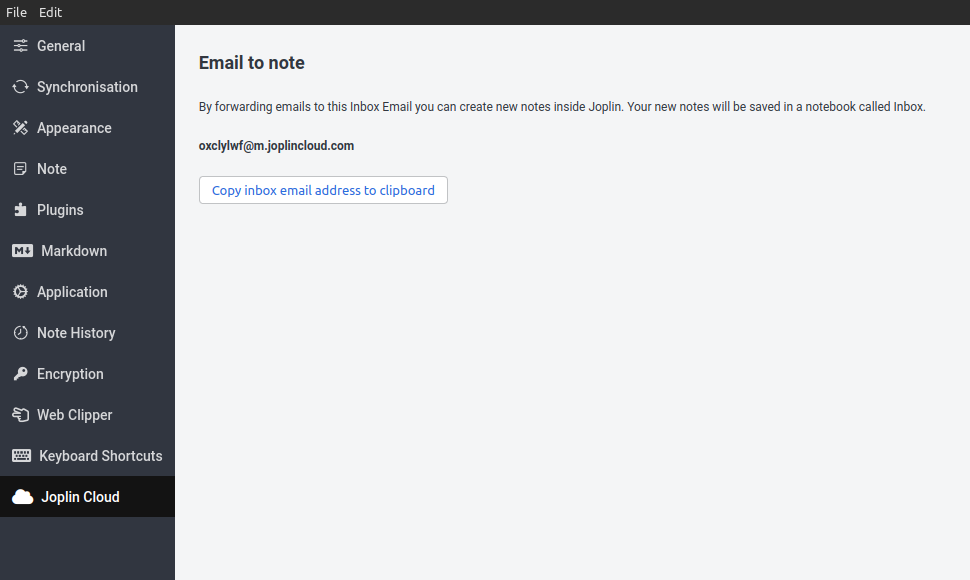
To copy your Joplin Cloud email address you will need to navigate to the Configuration screen and locate to the Joplin Cloud tab. You will need to have your synchronisation set to Joplin Cloud
Mobile

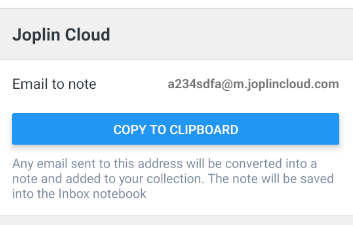
To copy your Joplin Cloud email address you will need to navigate to the Configuration screen and find the Joplin Cloud section. You will need to have your synchronisation set to Joplin Cloud
Website

Your Joplin Cloud email address is available in the dashboard of the Joplin Cloud website.

Video tutorial

Watch this short video to learn how to set up email to note on desktop:

Watch the video