 301194963b
一些检查失败了
automerge / automerge (push) Has been cancelled
react-native-android-build-apk / AssembleRelease (push) Has been cancelled
Build macOS M1 / Main (push) Has been cancelled
Joplin Continuous Integration / Main (macos-15-intel) (push) Has been cancelled
Joplin Continuous Integration / Main (ubuntu-22.04) (push) Has been cancelled
Joplin Continuous Integration / Main (ubuntu-22.04-arm) (push) Has been cancelled
Joplin Continuous Integration / Main (windows-11-vs2026-arm) (push) Has been cancelled
Joplin Continuous Integration / Main (windows-2025) (push) Has been cancelled
Joplin Continuous Integration / ServerDockerImage (ubuntu-22.04) (push) Has been cancelled
Joplin Continuous Integration / ServerDockerImage (ubuntu-22.04-arm) (push) Has been cancelled
Joplin UI tests / Main (ubuntu-22.04) (push) Has been cancelled
Joplin UI tests / Main (windows-2025) (push) Has been cancelled
Joplin UI tests / Mobile (push) Has been cancelled
Close stale issues / ProcessStaleIssues (push) Has been cancelled
22 行
1.5 KiB
Markdown
22 行
1.5 KiB
Markdown
---
|
|
created: 2021-05-13T09:52:38.000+00:00
|
|
source_url: https://www.patreon.com/posts/sharing-note-by-51203113
|
|
---
|
|
|
|
# Sharing a note by link in Joplin Server 2.0
|
|
|
|
Joplin Server had a feature to share a note by link for a few versions now but it was mostly a beta feature. In Joplin Server 2.0, the feature will be officially released and should be stable.
|
|
|
|
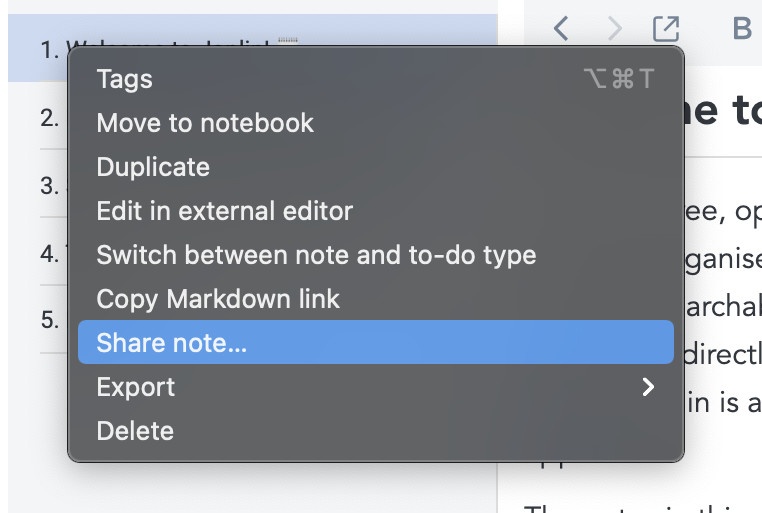
To share a note, you will need the corresponding desktop application v2.0. Then you can right-click on any note and select "Share note..." from the context menu. You can also select multiple notes, and each will have its own share link.
|
|
|
|
|
|
|
|
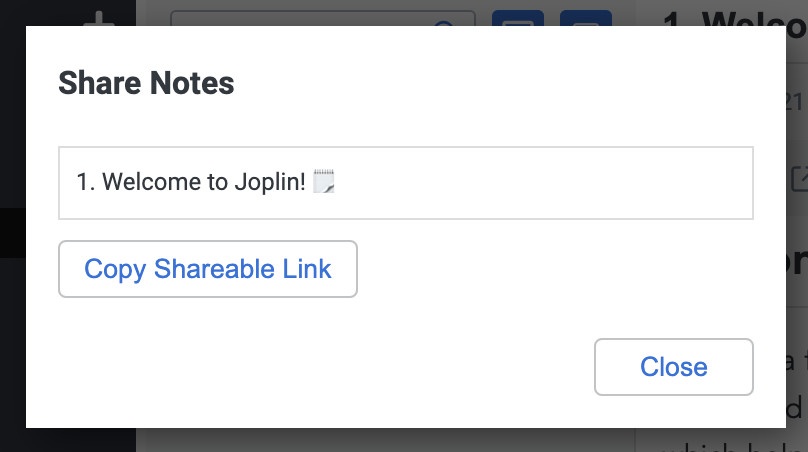
After that a dialog opens showing you the note - from there you just need to click on "Copy shareable link" to create the share link and copy it to the clipboard.
|
|
|
|
|
|
|
|
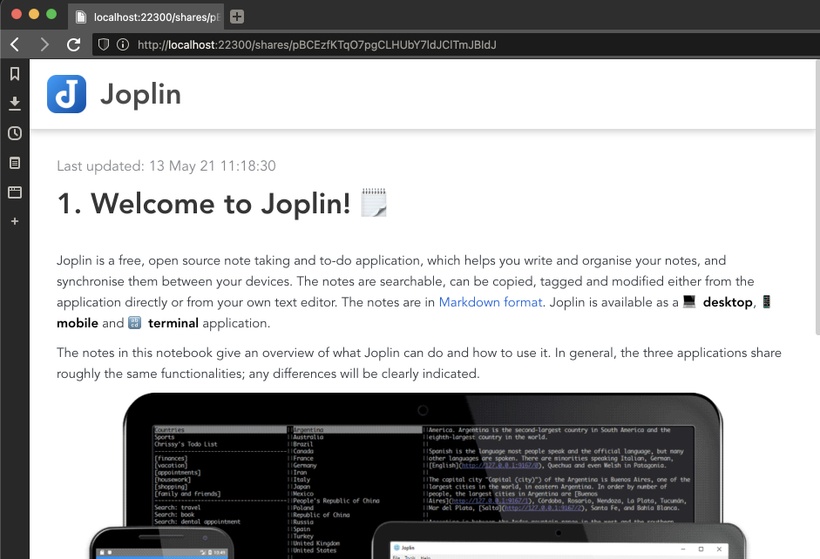
You can then share this link with anyone and they will be able to see the note in their browser:
|
|
|
|
|
|
|
|
Note that at the moment sharing a link does not work with End-To-End Encryption. If you share a note, it will always be decrypted, even on the server. This should be addressed in a future version. The URL however is secure - only people you share the URL with will be able to see the note. In other words, it's not possible to guess or discover the URL any other way. |